
Before you start
- The Instagram or Threads account must already be connected. If it is not, connect it first.
- You need access to change Channels and to be able to sign in to the linked Meta account.
- If Threads does not appear under Channels, that connection is not available on your account.
Step by step
- 1
Open Channels
Open the Preferences and Settings menu, in the bottom-left corner, and select Settings. Under Channels, choose Instagram or Threads. You see the connection panel. With the account connected, you see the account details and the Disconnect and Update permissions buttons.
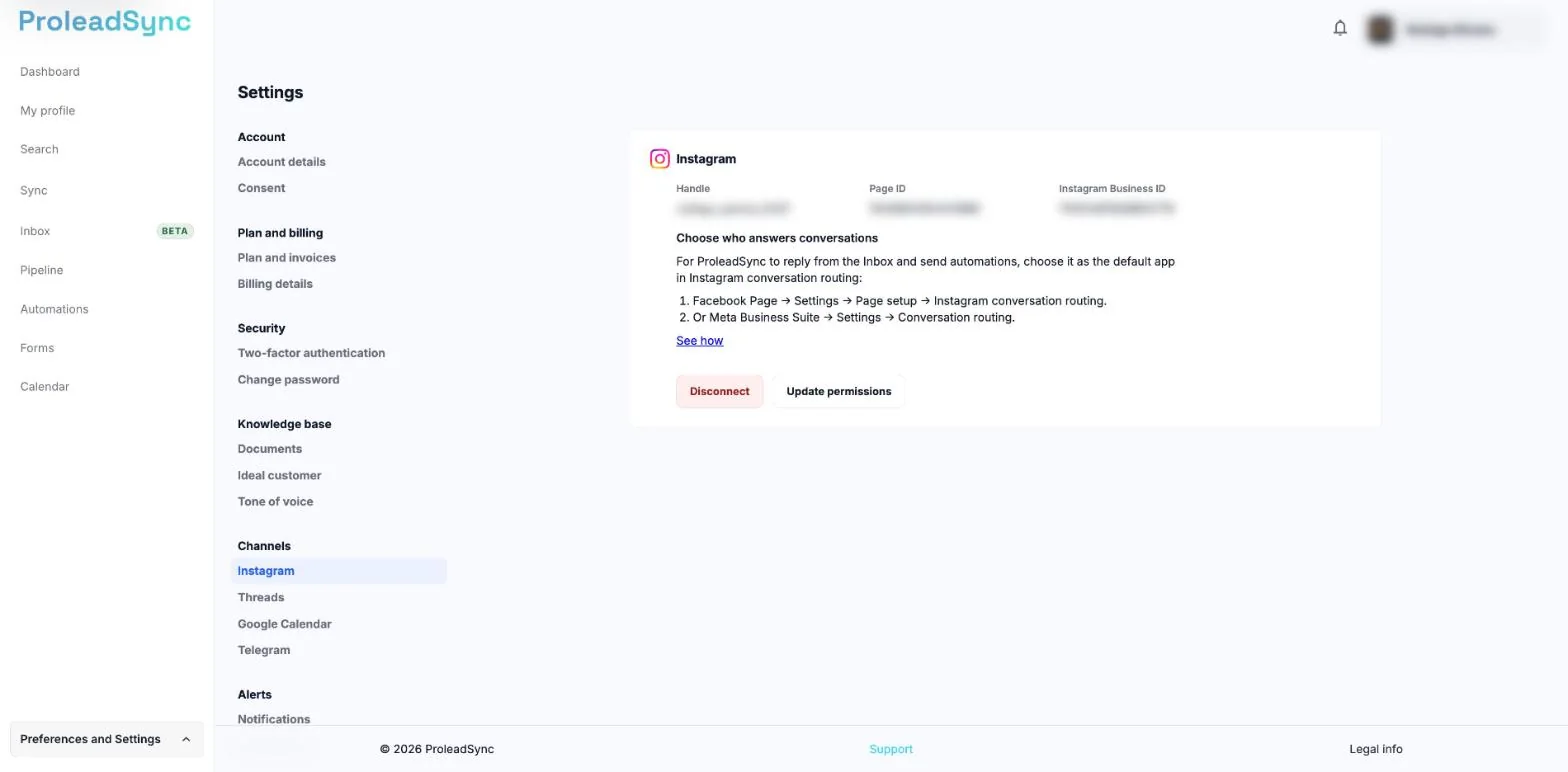
With the account connected, the panel shows Disconnect and Update permissions. - 2
Select Update permissions
Select Update permissions. Do not select Disconnect: that button removes the connection. ProleadSync takes you to Meta’s authorization page.
- 3
Confirm the account and the permissions
On Meta, check that the account is the right one and accept the permissions requested. Meta sends you back to ProleadSync.
- 4
Check the connection
Back in Channels, check that the panel shows the account details and the Update permissions button. On Threads, check that the notice “This connection needs attention. Update its permissions or connect it again.” no longer appears. The connection has the updated permissions.
If something does not work as expected
I do not see Update permissions.
The button only appears with the account connected and with access to change Channels. If you see Continue with Facebook or Continue with Threads, the account is not connected: use that button to connect it. If you see “You have read-only access.”, ask whoever manages the account.
Meta shows a different account.
Stop the process and sign in to the right Meta account. Then select Update permissions again.
I see “Some permissions are missing. Reauthorize and grant the requested permissions.”
Select Update permissions again and accept all the permissions requested.
I see “Authorization expired or was already used. Start again.”
Go back to Channels and select Update permissions to start over.
The feature I use is still unavailable.
Repeat the update and accept all the permissions. If the problem continues, open a request in Support.