
Before you start
- You need access to the Instagram account and its connected Meta account. Meta may ask you to confirm permissions during setup.
Step by step
- 1
Open Instagram under Channels
Open Settings and, under Channels, select Instagram.
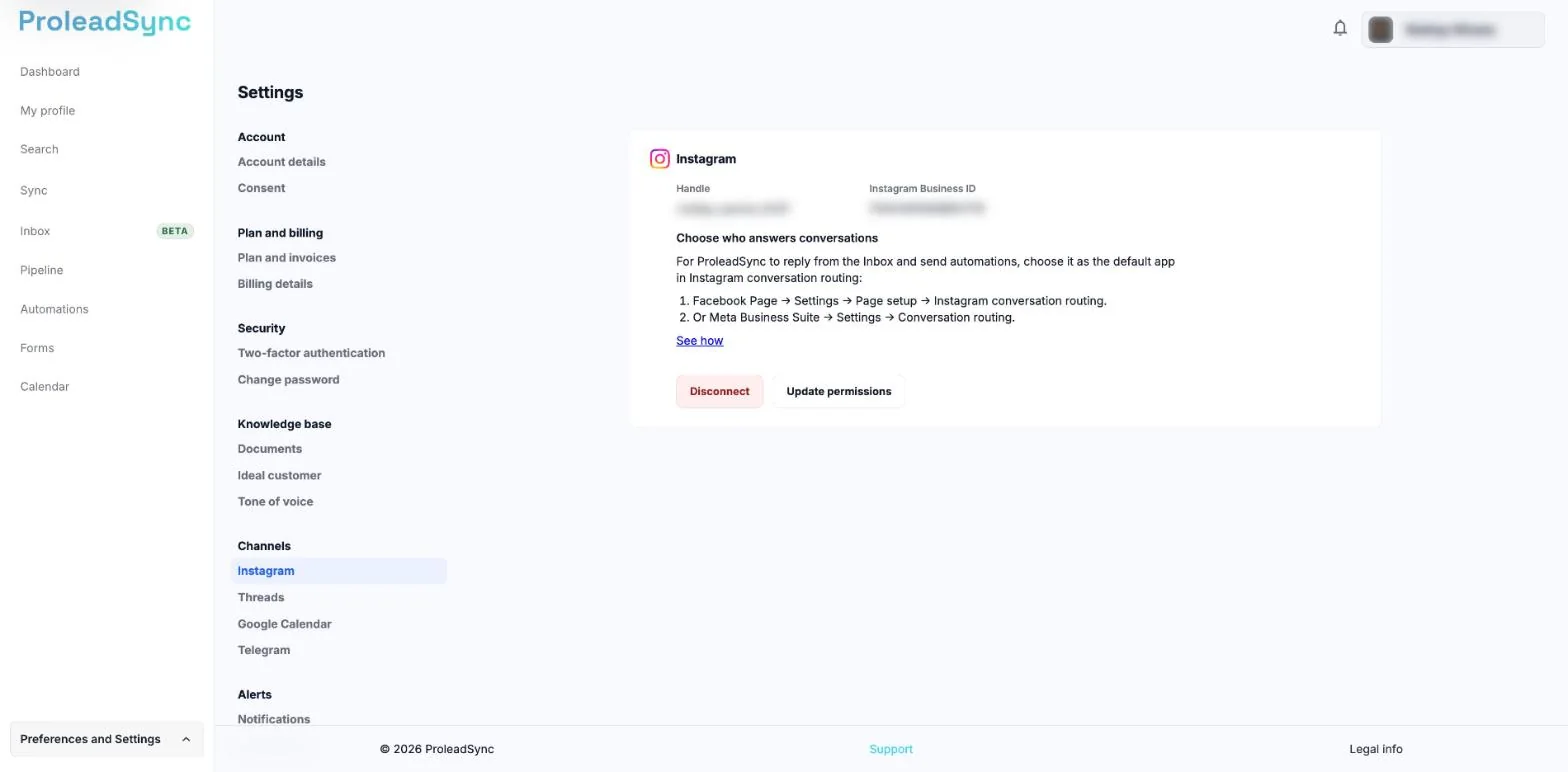
Instagram is in Settings, under Channels. - 2
Start the connection
On the Instagram card, select Continue with Facebook. Sign in to the correct Meta account. If you have several Pages, choose the account in Choose an Instagram page.
- 3
Confirm permissions
Keep the requested permissions enabled for search, messages and profile information. Finish the process and return to ProleadSync.
- 4
Check the connection
Confirm that the Instagram card shows the account Handle and the Disconnect and Update permissions buttons. Open Search and check that Instagram is available.
If something does not work as expected
The Instagram account is not listed by Meta.
Confirm that it is a professional account connected to the correct Meta page, then restart the connection.
The authorization finished but the card still shows disconnected.
Refresh the page in Settings > Channels > Instagram. If it still shows No account is connected, select Continue with Facebook again and repeat the authorization without removing permissions.