
Before you start
- The Inbox only shows conversations received through connected channels supported by your account.
Step by step
- 1
Open the Inbox
Select Inbox in the menu and choose All, Follow-up, Instagram or WhatsApp depending on the work you need.
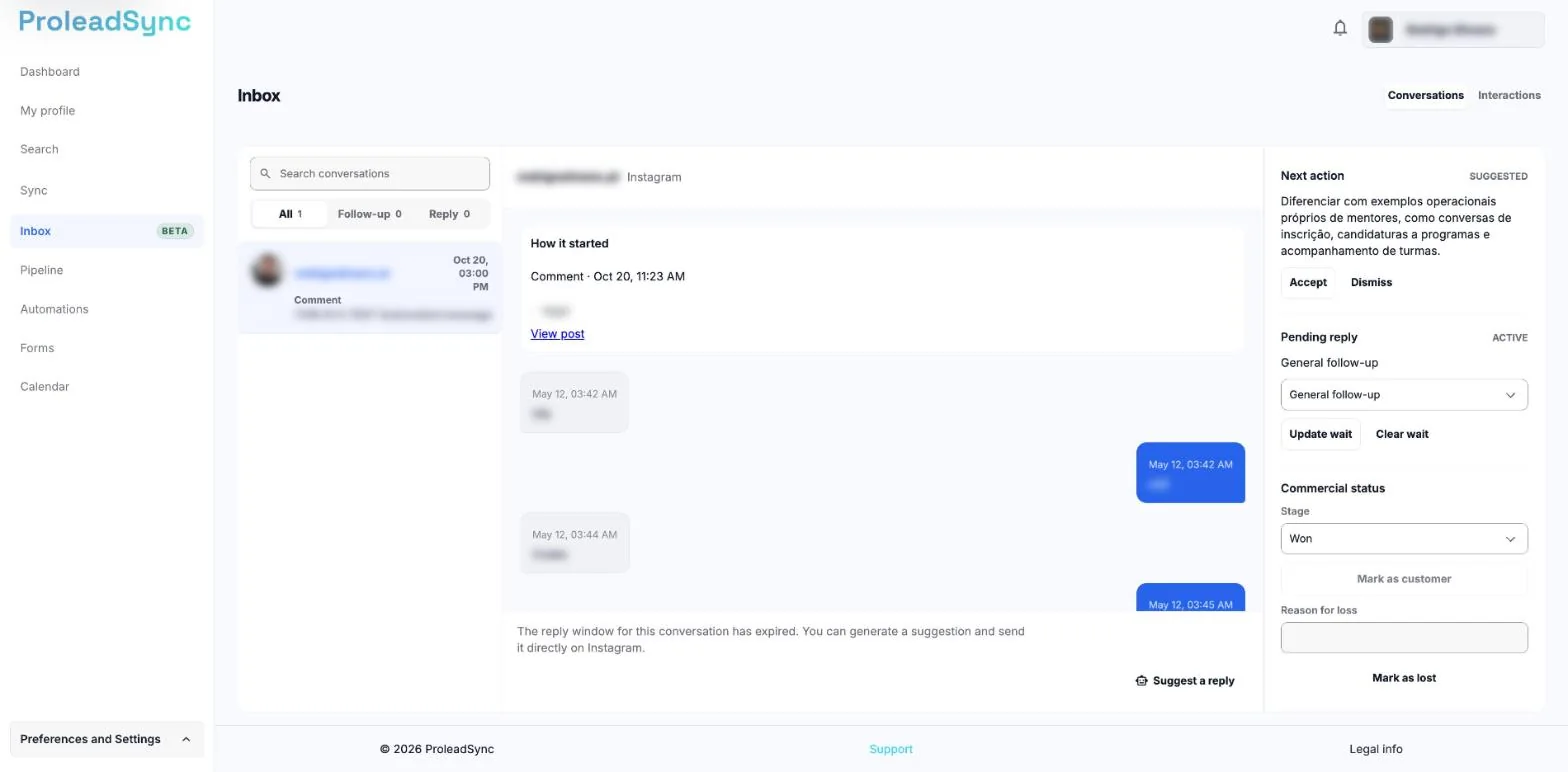
Use the All, Follow-up and Reply filters to choose what to handle. - 2
Select a conversation
Open a conversation and read the latest messages before replying or changing its sales status.
- 3
Update the follow-up
Set or edit the next follow-up, adjust the relationship and add tags that will help you recover the context later.
- 4
Close the opportunity when there is a decision
Mark it as won or lost only after the outcome is confirmed. Until then, keep the stage and next action up to date.
If something does not work as expected
A recent conversation is missing.
Check the selected filter and channel. Refresh the Inbox and make sure the channel connection is still active.
The conversation opens without messages.
Wait for the update to finish. If it remains empty, return to the list and open it again.