
Step by step
- 1
Open the lead details
In the Pipeline, select View details on the card you want to update.
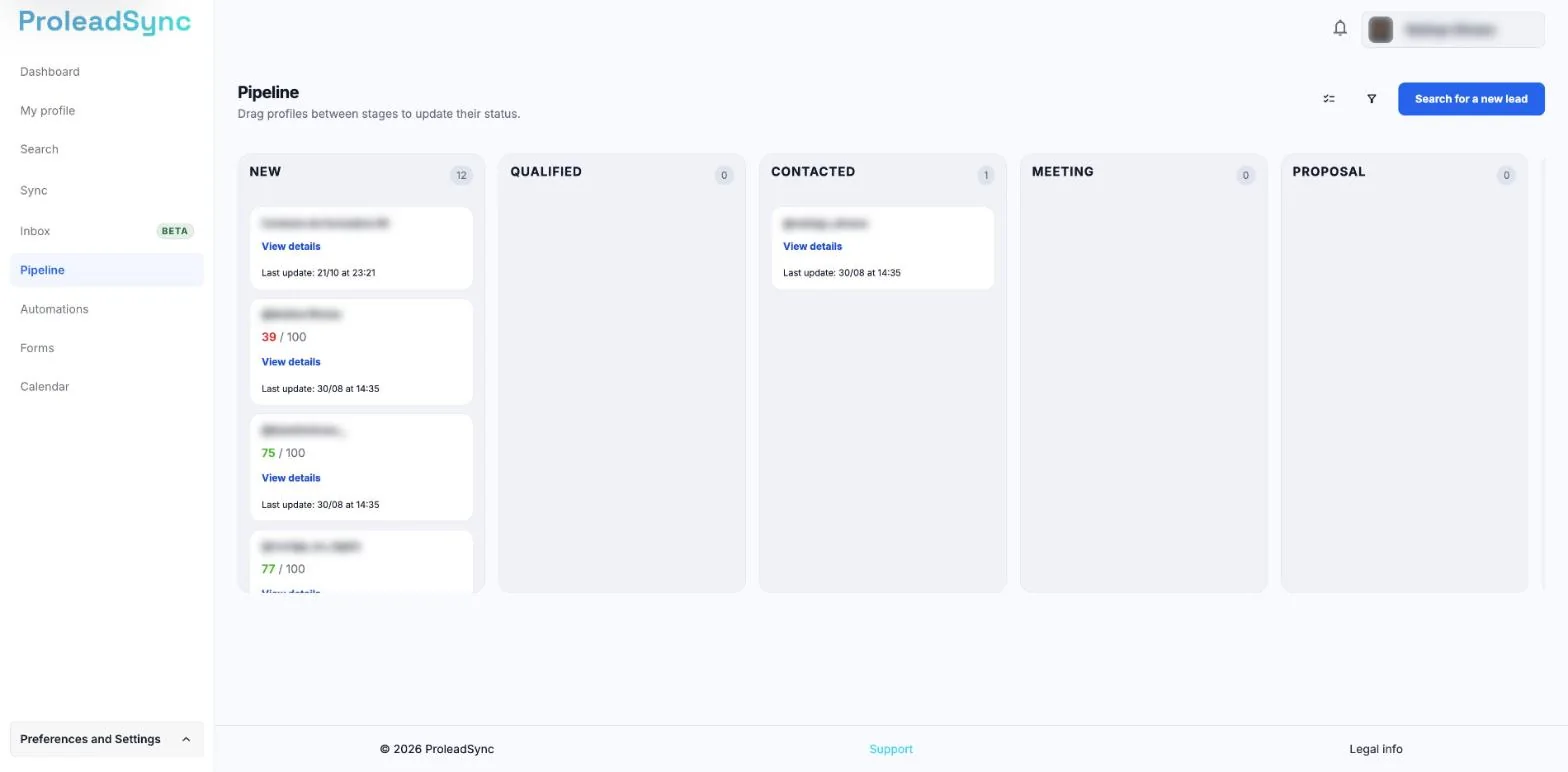
Select View details on the contact card. - 2
Confirm the stage
Choose the stage that matches the latest confirmed event: new, qualified, contacted, meeting or another available stage.
- 3
Set the priority
Use priority to separate what needs attention sooner. Reserve the highest priority for a real impact or deadline.
- 4
Record the next action
Write a specific action and add a date when possible. Prefer “send proposal on Tuesday” to a vague note such as “follow up”.
If something does not work as expected
I am not sure which stage to choose.
Choose the stage of the last completed step and use the next action to describe what should happen next.
The lead still appears as a follow-up.
Check for an overdue next action or a conversation that still needs a reply.