
Before you start
- The automation editor only opens on a computer.
- You need full access to Automations. At your plan limit of active automations, you can still create drafts; to activate another one, stop an automation or change plan.
- Decide first which event starts the automation and what result you want. This keeps it from acting on more records than you intend.
Step by step
- 1
Open the editor
Open Automations and select Create automation. If two choices appear, select Start from scratch. The editor opens with the Choose how it starts step. The top shows Draft not saved yet: the automation is only created, and only appears in the list, once it has its first step.
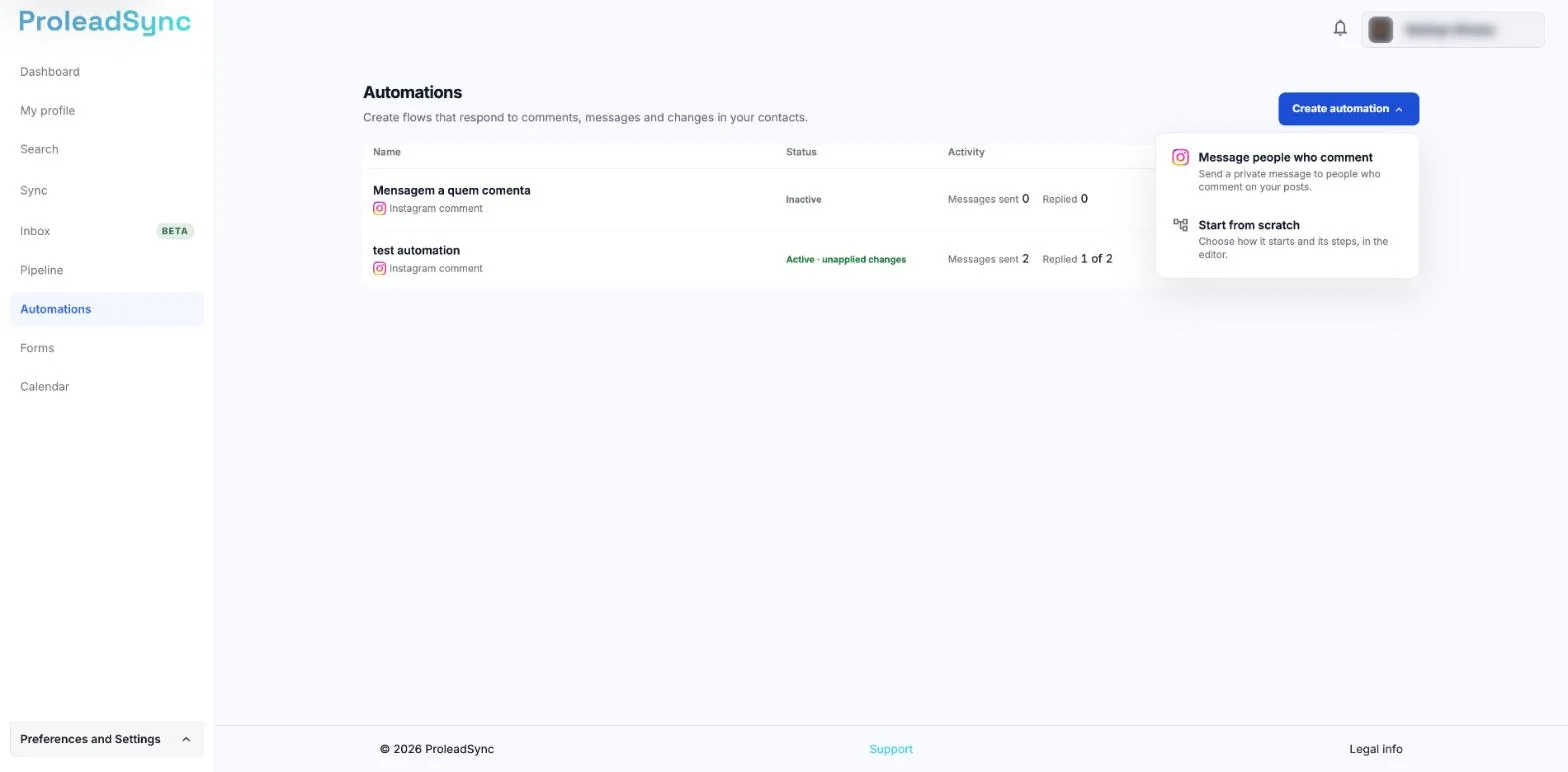
Choose Start from scratch to open the editor. - 2
Choose how it starts
Select Choose how it starts and pick the event that starts the automation, for example Form received or Stage change. Fill in the starting point fields to limit when the automation runs. The list groups starting points into Instagram, Contacts, Conversations and Forms. The starting point is set and shows the output for the first step.
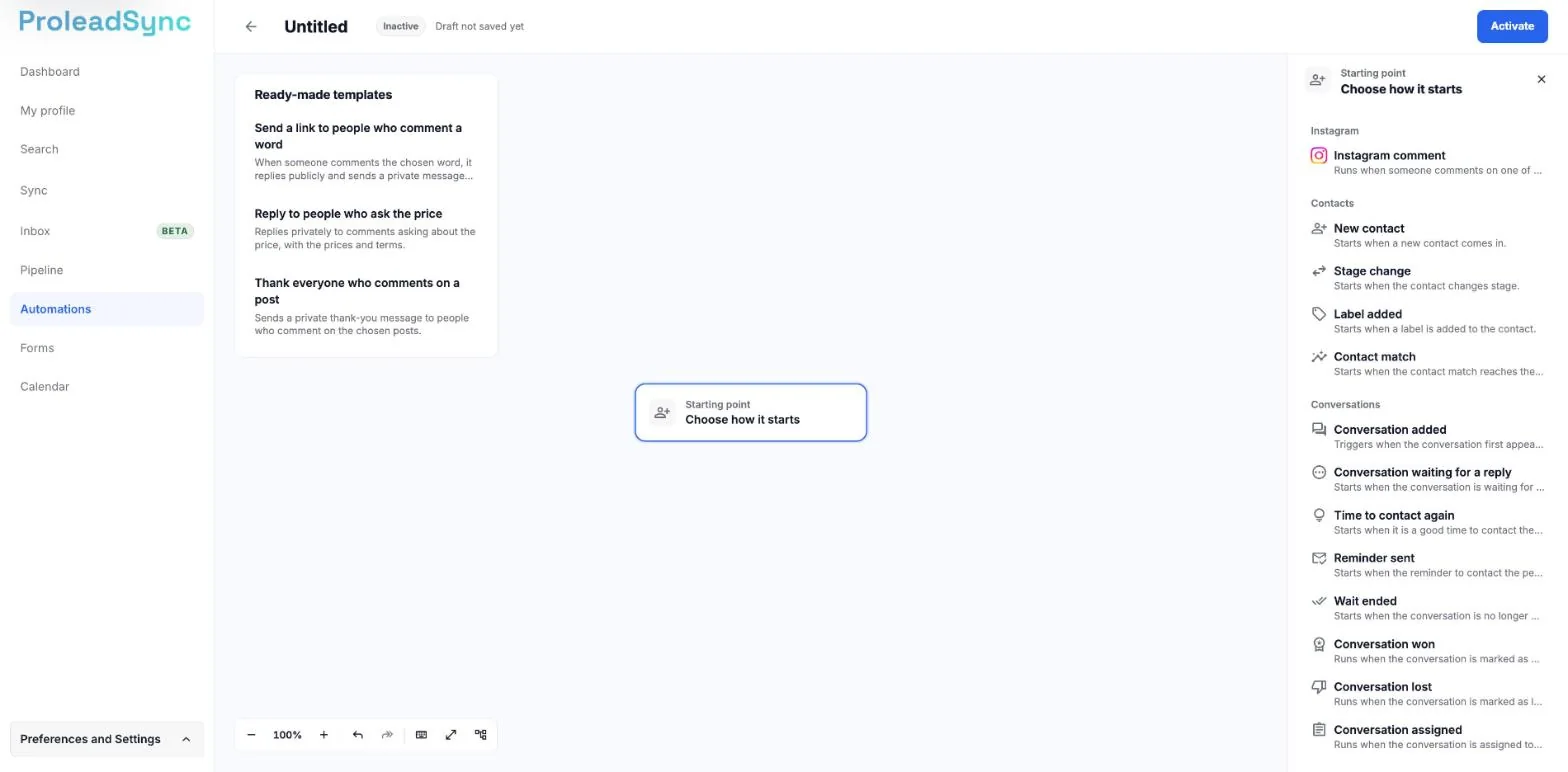
Starting points are grouped into Instagram, Contacts and Conversations. - 3
Add the steps
Select the + on a step output, or Choose step in the Next section of the panel, and pick the next step. The list shows which step the new one comes after, has a search box, groups steps by type and explains each one in a line. If a step does not fit at that point yet, the list says why. The new step is connected to the previous one.
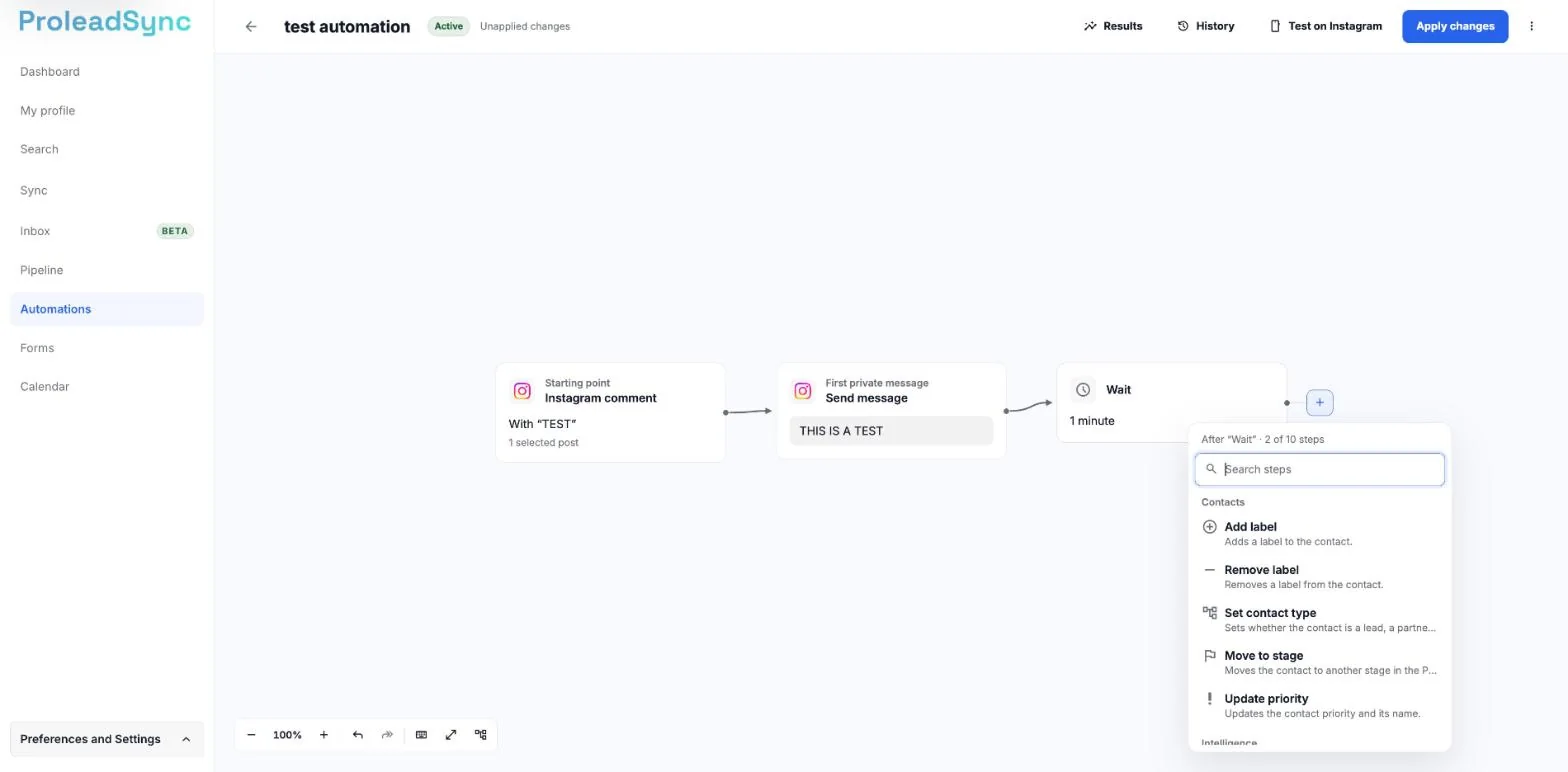
The list shows which step the new one comes after. - 4
Fill in each step
Select each step and fill in the fields in the panel. If you want, give it a name at the top of the panel. The editor saves automatically and shows Saving… and then Saved.
- 5
Undo what you do not want
Use Undo and Redo below the canvas. To see the keyboard shortcuts, select Keyboard shortcuts or press ?. The change is undone or redone. After you delete a step or a connection, or change the starting point, Undo also appears next to the notice.
- 6
Activate the automation
Select Activate. The automation is active. If something is missing, the area under the top shows how many things to fix before activating, with the list. Each line opens that step, highlighted on the canvas.
If something does not work as expected
The automation does not appear in the list.
A new automation is only created once it has its first step. Until then, the top shows Draft not saved yet.
You see Not saved.
Read the reason and select Try again. If the reason is a plan limit, such as the number of steps per automation, remove steps or select View plans.
The step list says you have reached the steps your plan allows.
Remove steps you do not need or select View plans.
You see "This template can only be used on an empty automation".
Ready-made templates only work on an automation with no steps. Create a new automation to use the template.
The automation cannot be activated.
Select each line in the list of things to fix, fix the step and select Activate again.
You see "You've reached your plan's limit." when activating.
You already have the maximum number of active automations your plan allows. The automation stays saved as a draft. To activate it, stop another automation in the Automations list or select View plans.
The list of things to fix asks for the day and time you will post.
On the Instagram comment starting point, with Next, fill in From with the day and time you will post. The date cannot be more than 24 hours ago.
You see "Available on desktop only".
Open the automation editor on a computer.