
Before you start
- An active automation opens in the editor as read only. To change it, select Edit; the active version keeps running while you edit.
Step by step
- 1
Check the activity in the list
Open Automations. Each automation shows its starting point, status and activity. Comment automations show Messages sent and Replied; the others show Last run and, if there are any, the runs with failures.
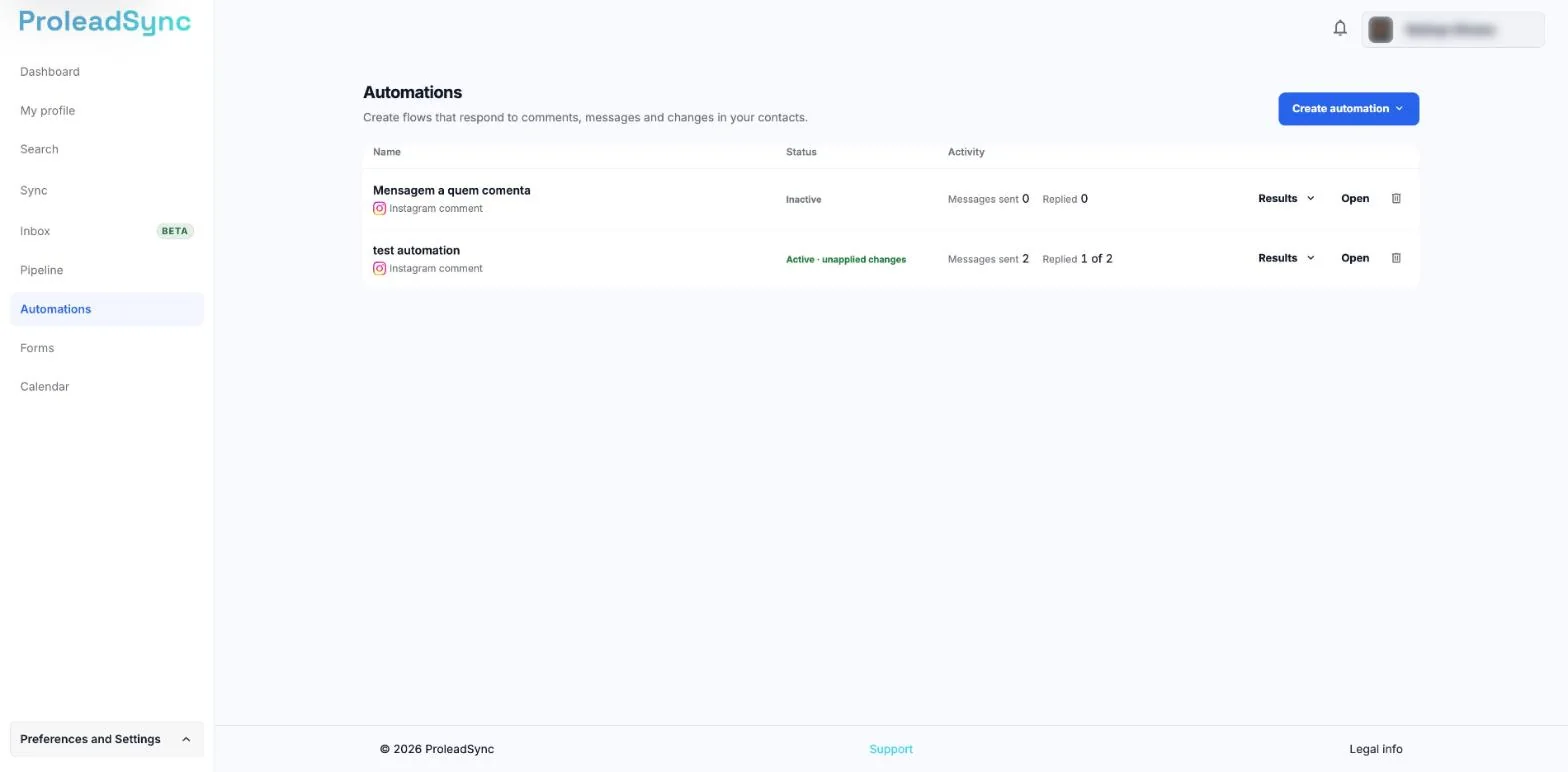
Each comment automation shows Messages sent and Replied. - 2
Check Results
On a comment automation, select Results. From comment to customer opens under the row, for the last 7, 30 or 90 days: On Instagram, In ProleadSync, Messages that were not sent and By post, with each post thumbnail.
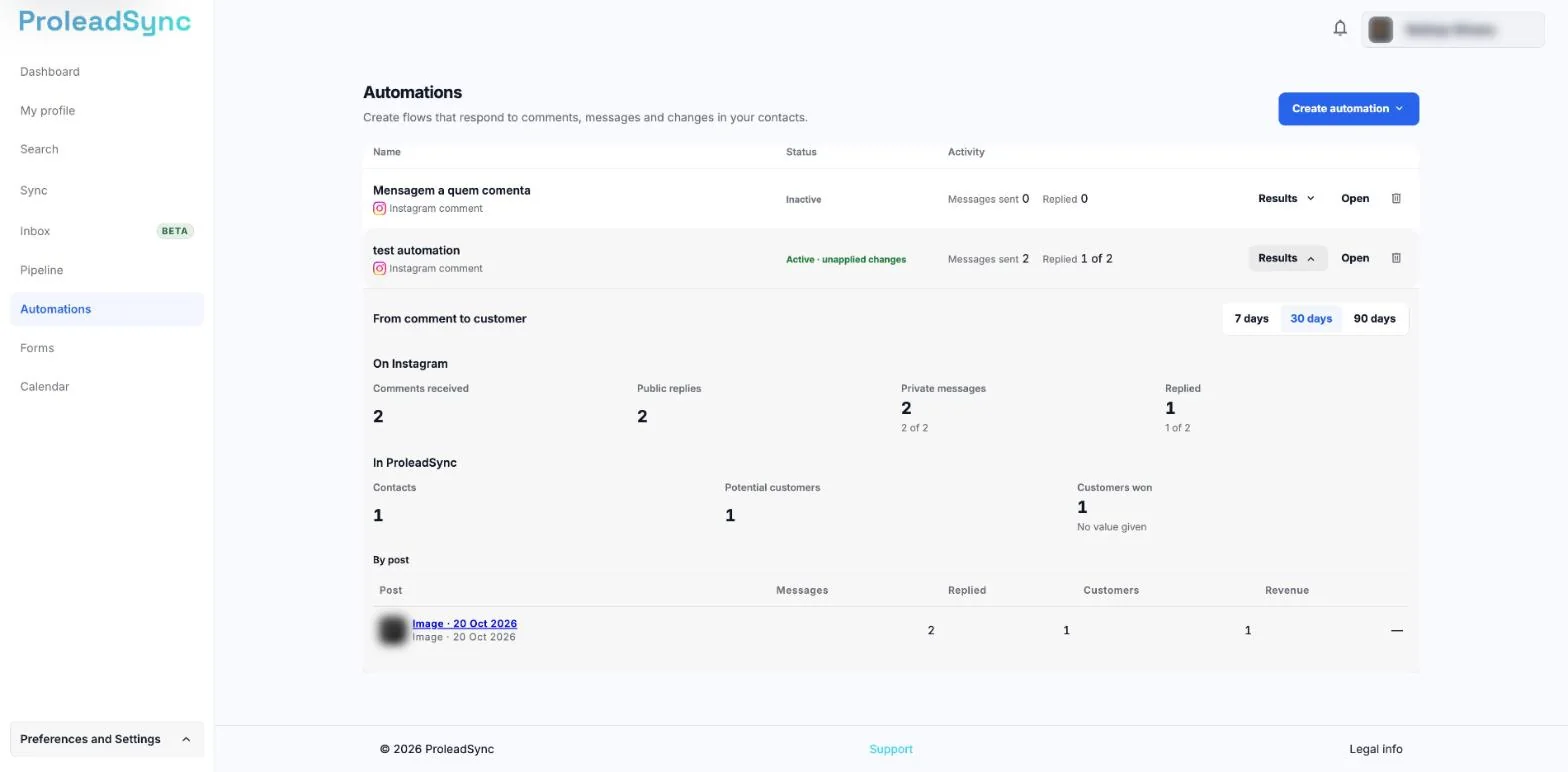
Results open under the automation row. - 3
Open History
Select Open on the automation and, in the editor, History. To see only the problems, choose With failures. Each run shows who started it, with a link to the conversation or contact, when it started, the comment that started it and the outcome.
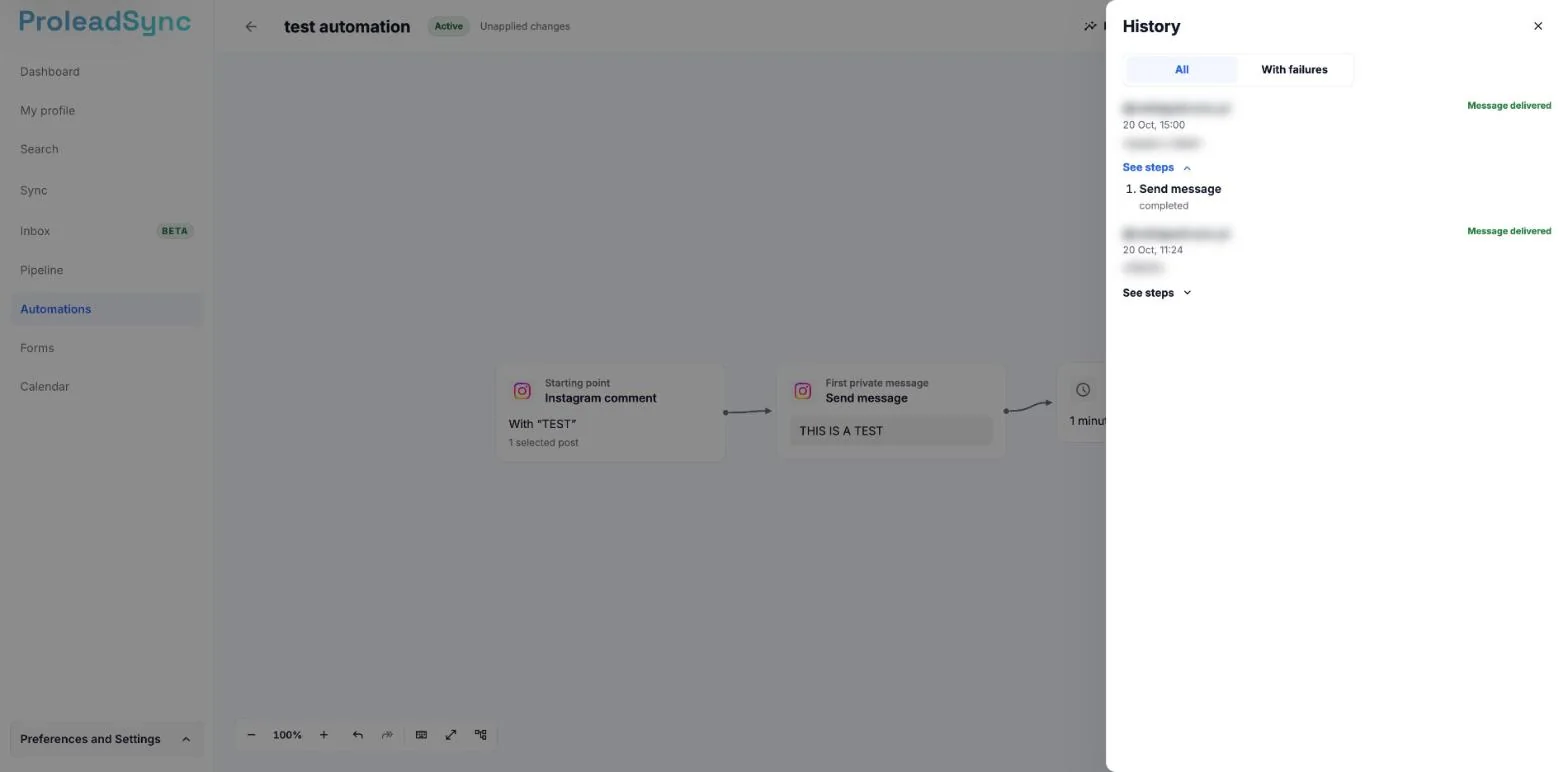
See steps shows each step of the run and its status. - 4
Find the step with the problem
On the run with the problem, select See steps and read the reason. You see each step, its status and the reason for a failure. You know which step to fix.
- 5
Fix and apply
Select Edit, fix the step and select Apply changes. A new version is published. Runs that had already started finish on the previous version.
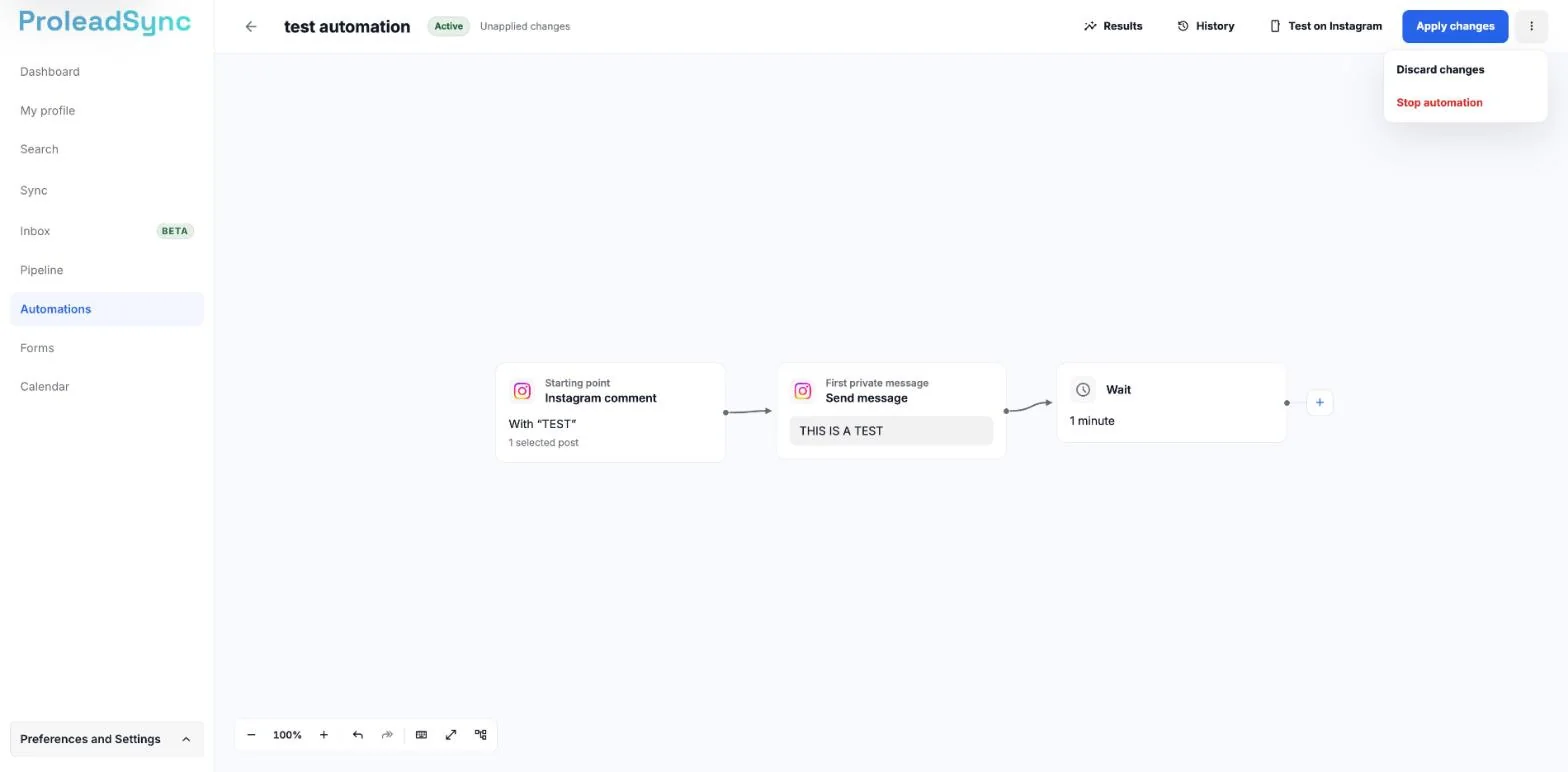
Apply changes publishes the new version; Discard changes is in the menu next to it. - 6
Stop or delete the automation
To prevent new runs, open More actions and choose Stop automation. To delete it, select Delete on the automation row in the list. Stopping keeps the history. Deleting asks you to confirm with the automation name and warns that you lose the run history; on an active automation, the confirmation also offers Stop instead of deleting.
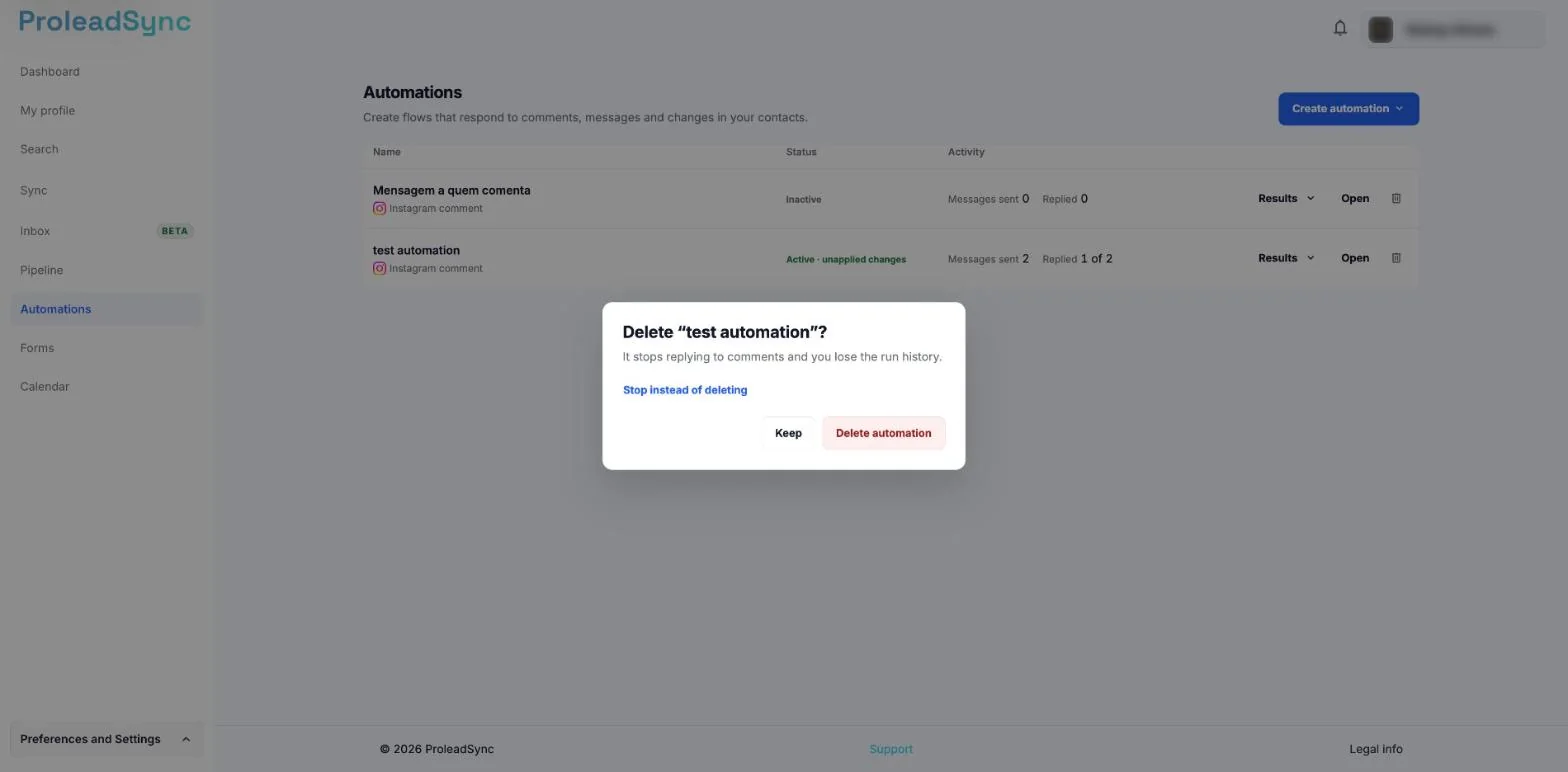
On an active automation, the confirmation also offers Stop instead of deleting.
If something does not work as expected
There are no runs in History.
Check that the automation is active and that the event that starts it has happened. Review the starting point fields too.
An Instagram message was not sent.
For comment automations, open Results and check Messages that were not sent. If another app is answering, set ProleadSync as the default app.
The list warns that Instagram is not connected or that access to comments has not been authorised.
Select Connect Instagram or Authorise on Instagram. Until then, the affected Instagram automations do not reply.
You reached your plan limit of active automations.
You can still create drafts. To activate another automation, stop one or select View plans.
An automation shows No post found.
The automation was waiting for your next post and no post or reel appeared in the 24 hours after the date in From. It is now inactive. Select Open, choose another date in From, on the Instagram comment starting point, and select Activate.
A connection used by the automation stopped working.
Open Settings and, under Channels, choose that connection. Select Update permissions.