
Before you start
- Only give full access to people who need to manage every area and account setting.
Step by step
- 1
Open Team
Open Settings and, under Team, select Invite.
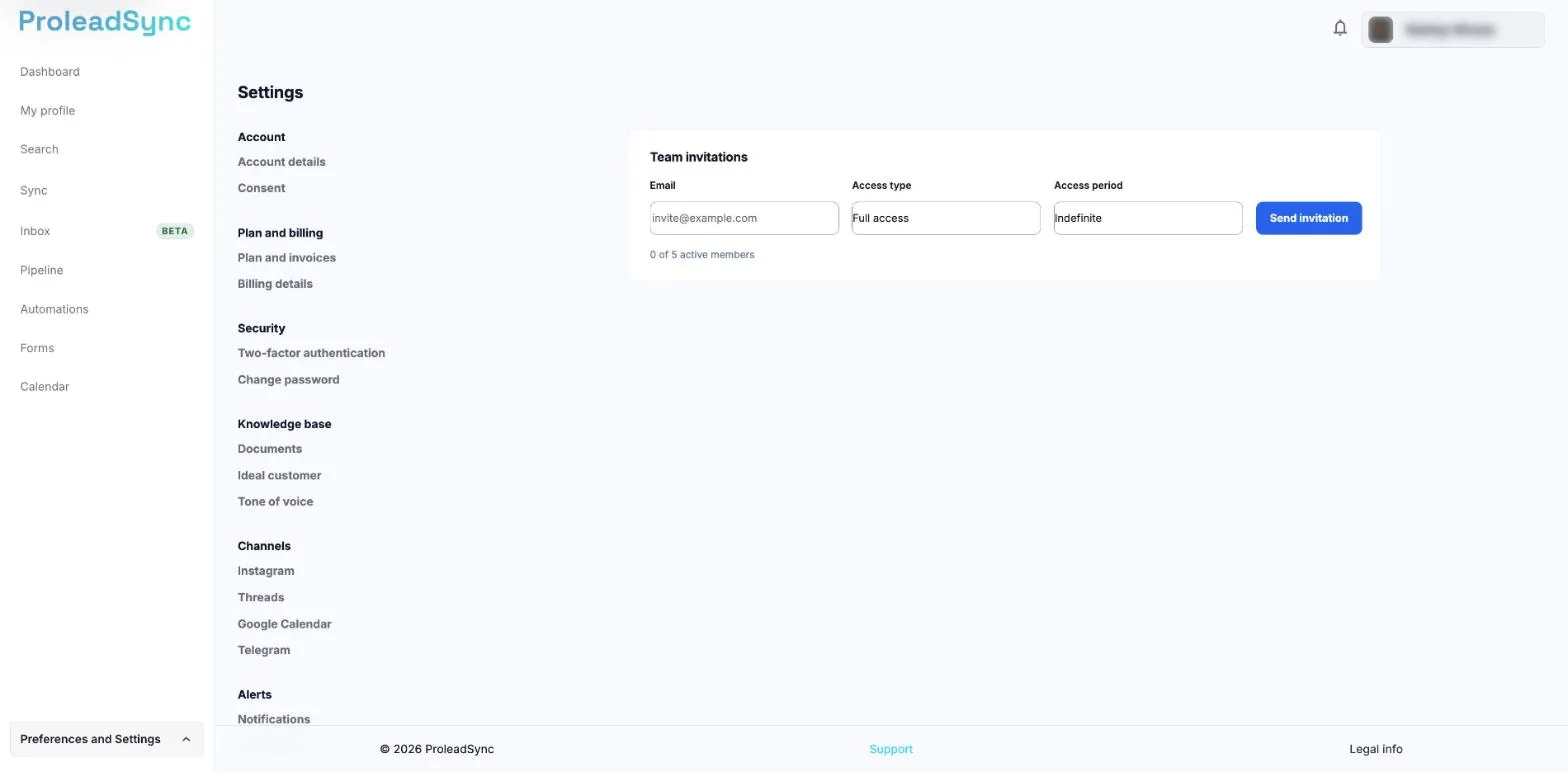
Invitations are in Settings, under Team, in Invite. - 2
Complete the invitation
Enter the person professional email address and check it for mistakes.
- 3
Choose access
Select the access type that matches the person responsibilities. Avoid granting additional permissions just for convenience.
- 4
Send and track the invitation
Select Send invitation. Then, under Team, select Manage and check whether the member is active or the invitation is still pending.
If something does not work as expected
The invitation did not arrive.
Check the email address, ask the person to review spam and resend the invitation when the option is available.
The account has reached its member limit.
Check the plan limit in Billing and remove access that is no longer required before inviting another person.