
Before you start
- Changing or cancelling a subscription can affect account access and limits. Review the renewal date and displayed conditions before confirming.
Step by step
- 1
Open Billing
Open the Preferences and Settings menu and choose Plan and billing. The Billing page opens.
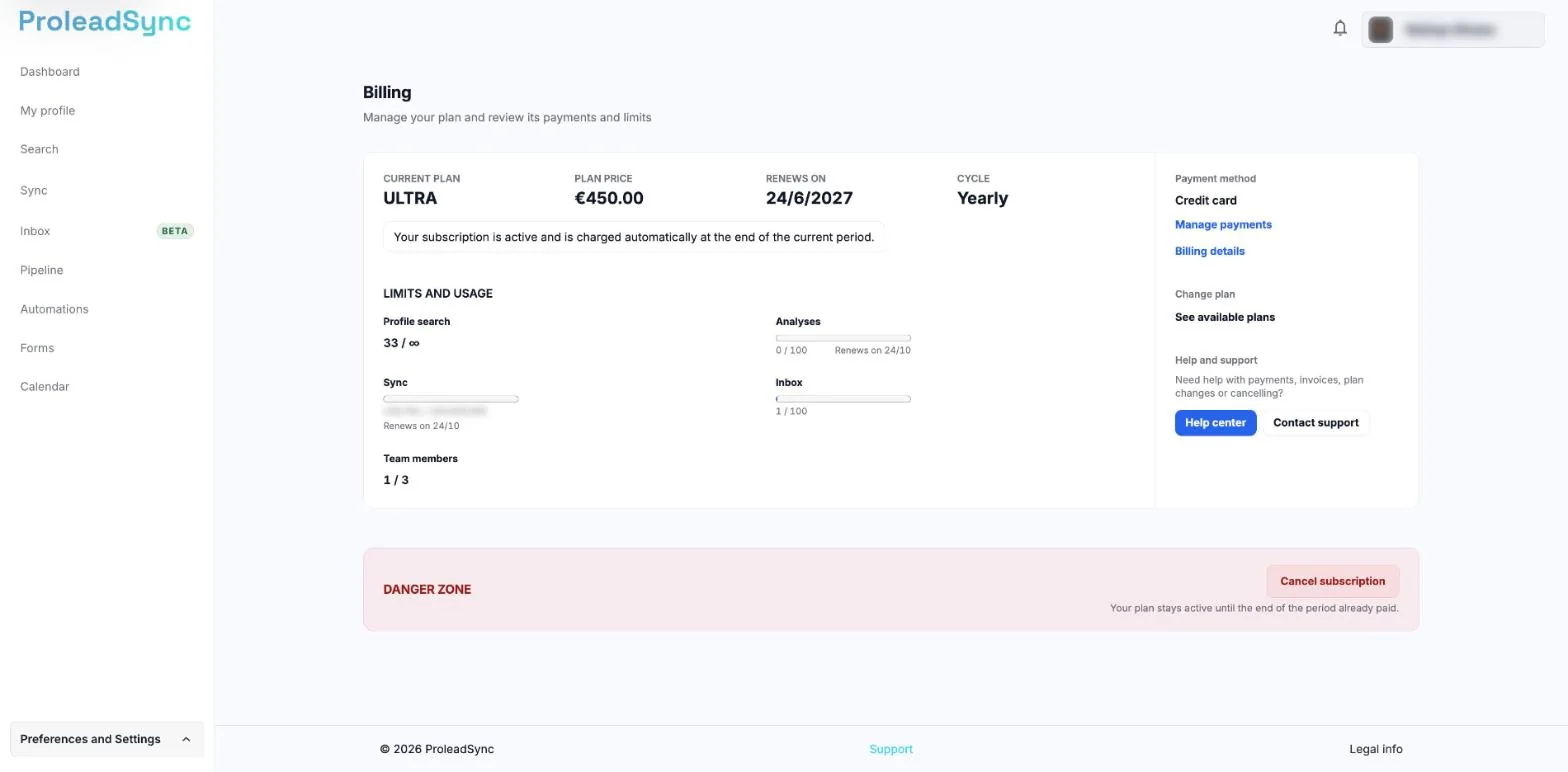
Billing brings together the plan, renewal, usage and payment actions. - 2
Review status and limits
Check the current plan, renewal date and monthly usage. During a trial, also confirm the end date and what happens afterwards.
- 3
Manage the subscription or change plan
Select Manage payments to update the payment method or view documents. To compare plans, select See available plans, under Change plan. Each plan shows its limits, including Sync credits per month, and you can switch between Monthly and Yearly.
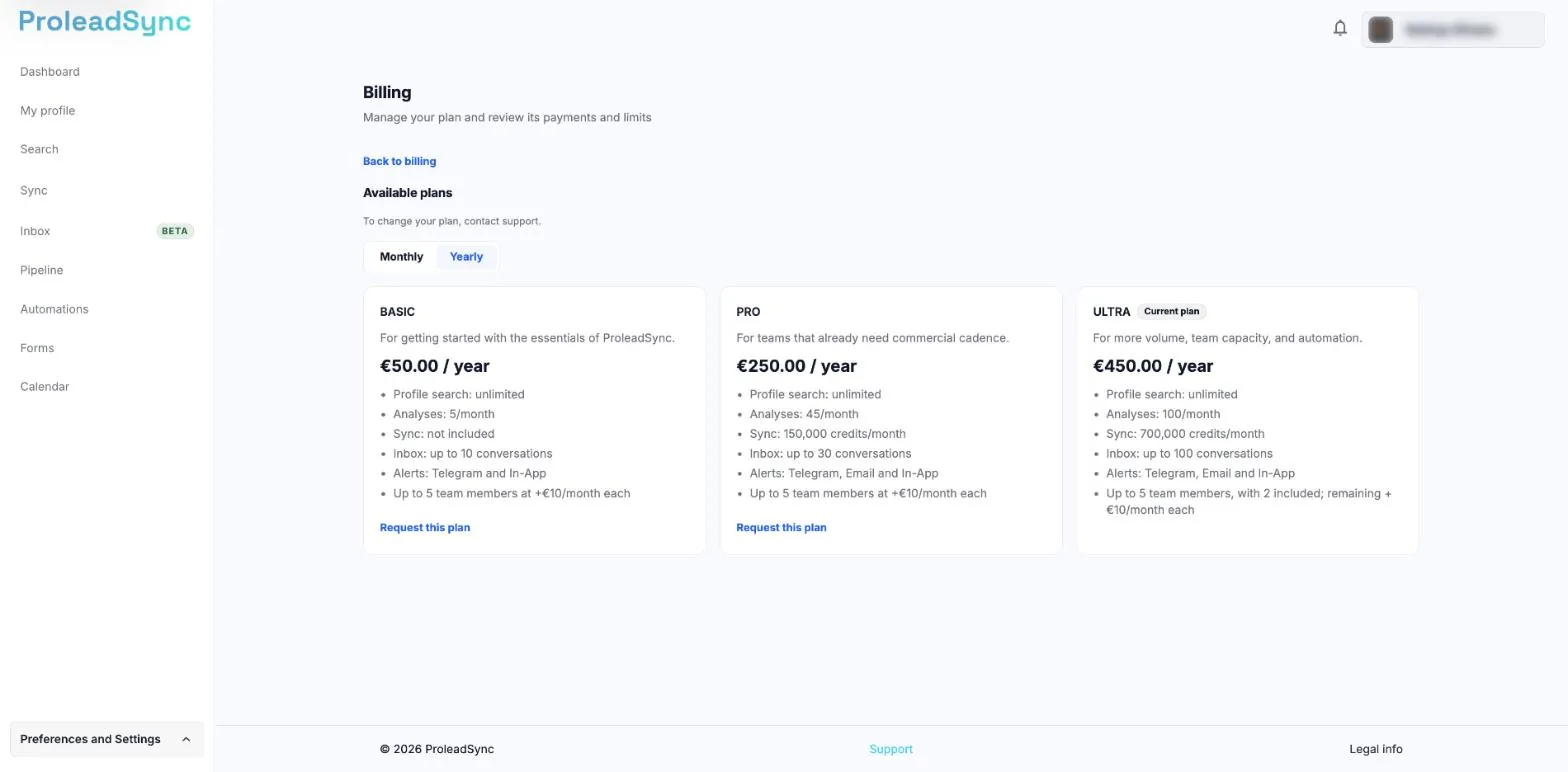
Each plan shows its limits, including Sync credits per month. - 4
Get payment documents
In the payment portal, open the history and download the matching invoice or receipt. Check its date and amount before filing it.
If something does not work as expected
I cannot find an invoice or receipt.
Open Manage payments and review payment history. If it is still missing, select Contact support on the Billing page.
The payment is pending.
Check the payment method in the portal and follow the displayed guidance. Do not repeat the purchase while the first payment is processing.