
Before you start
- Internal ProleadSync reminders are not sent to Google Calendar. Connect Google Calendar when you also need to view external events.
Step by step
- 1
Open the Calendar
Select Calendar in the menu and choose Day, Week or Month.
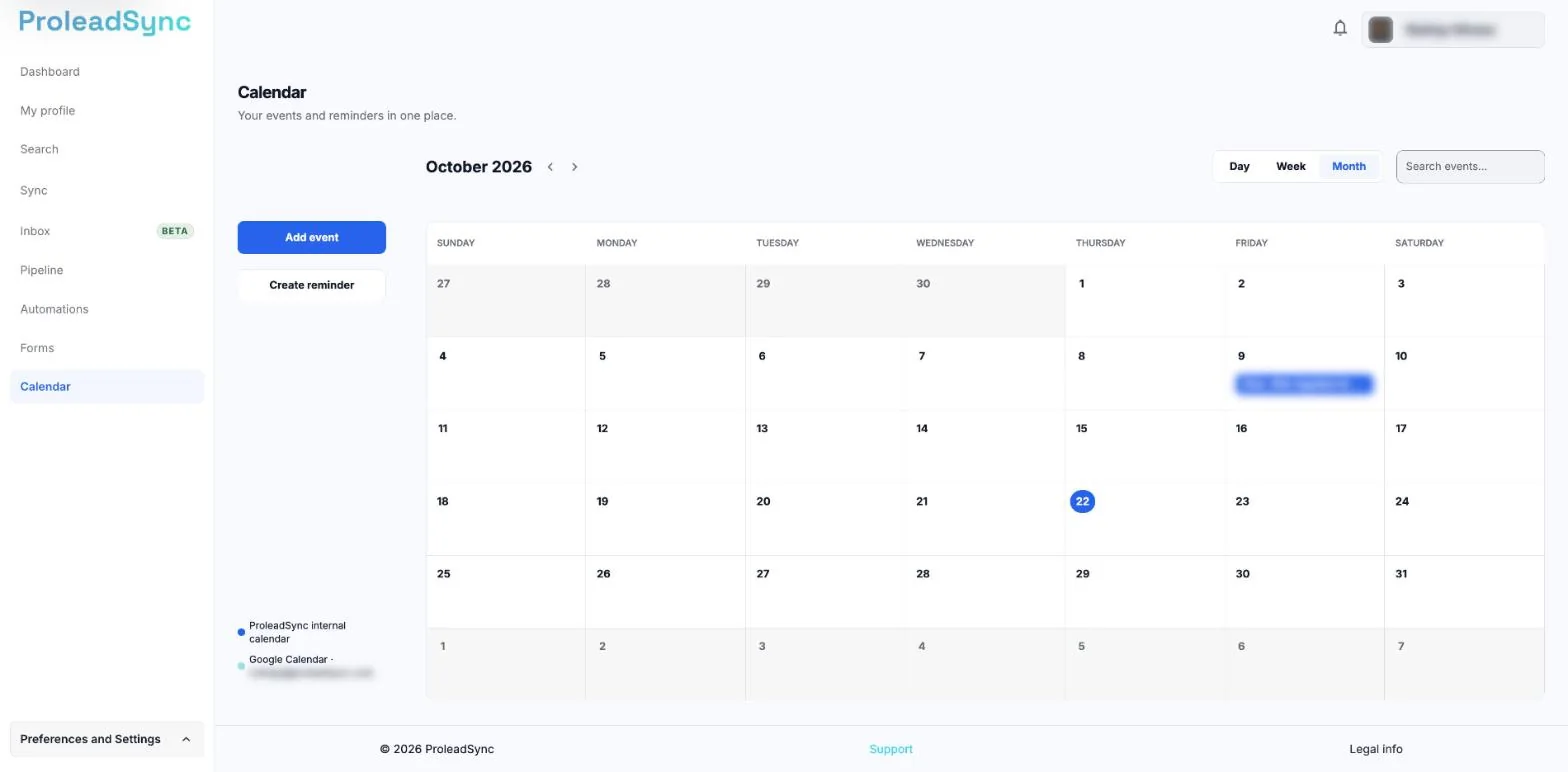
The Calendar brings together internal reminders and, when Google Calendar is connected, your Google events. - 2
Create a reminder
Select Create reminder or the day number in the calendar. In the Create reminder window, write a specific title and set the date and time, or tick All day.
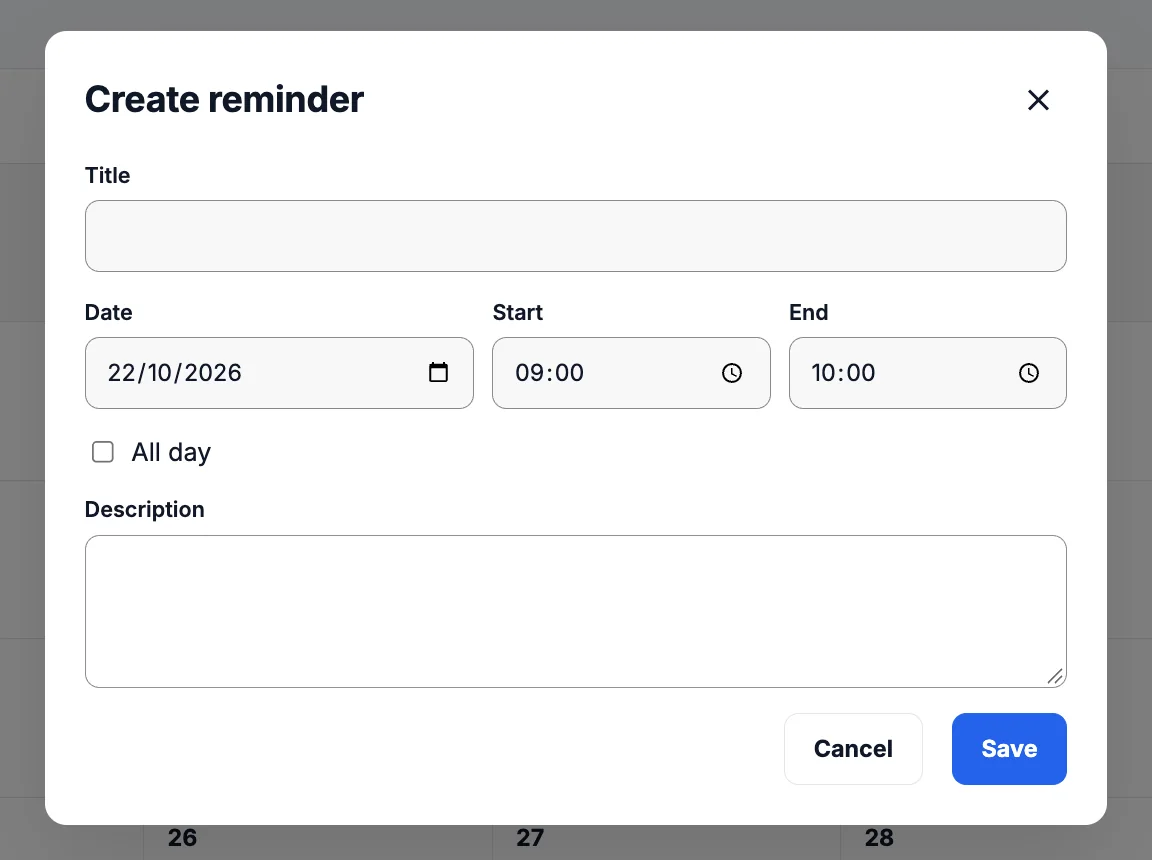
The reminder is only created when you select Save. - 3
Describe what you need to do
In Description, write who it is with and what you need to do. The reminder is not linked to a contact, so a name in the description helps you find it later.
- 4
Save and confirm it
Select Save and check that the reminder appears in the selected period. To find it later, type its title in Search events.
If something does not work as expected
A Google Calendar event is missing.
In Settings > Channels > Google Calendar, check that it is connected. In the list next to the Calendar, select the Google Calendar if it is hidden.
The reminder is on the wrong day.
Open it and check its date, time and account time zone.